
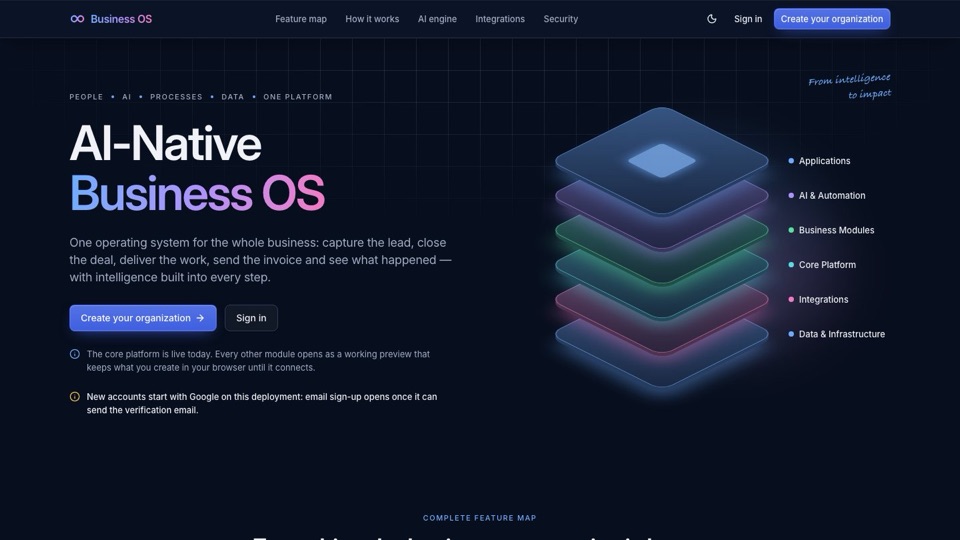
BusinessOS is an AI-native operating system designed to unify a company's data, permissions, and workflows into a single foundation. Instead of juggling disconnected apps, it provides a secure, centralized environment where both humans and AI agents can work together.
What is BusinessOS?
For many growing businesses, the "tech stack" is actually a mess of disconnected parts. A typical Indian SME might run their sales leads in a spreadsheet, handle customer chats on WhatsApp, track HR in a separate app, and store invoices in someone's email. When nothing talks to anything else, it becomes impossible to know who changed what, and it is incredibly difficult for AI tools to help because they can only see one small piece of the puzzle at a time.
BusinessOS was built by AskShiva to solve this fragmentation. It is a multi-tenant, AI-native operating system that takes a "foundation first" approach. Instead of bolting new features onto old software, BusinessOS builds a master architecture that every new module sits upon.
This means every part of the system—whether it is a CRM or an HR tool—shares the same core elements:
- One Identity: Every user and agent has a single, consistent identity.
- One Permission Engine: Access rights are managed in one place, not re-created for every app.
- One Audit Log: Every single action is recorded in a single, unchangeable history.
- One Search: You can find files and data across the entire organization instantly.
What is Live in Alpha Today?
BusinessOS is currently in an early alpha release. The focus right now is on the "foundation"—the essential plumbing that makes a secure business operating system possible. While the advanced business modules are being built, the core infrastructure is already functional and tested.
Core Infrastructure Features
- Secure Sign-in: You can log in using email and password (with mandatory verification), two-factor codes, passkeys, or via Google and Microsoft SSO.
- Organization & Team Management: The system supports complex structures including departments, workspaces, and members who can be invited via a link.
- Advanced Permissions: A single engine manages roles, record sharing, and even "hidden fields," ensuring users only see what they are supposed to. The system includes checks to prevent anyone from accidentally giving themselves more access than they should have.
- Data Isolation: Security is handled at the database level. Using PostgreSQL row-level security (RLS) and a signed tenant context, the system ensures that one organization's data is strictly invisible to another. These boundaries are verified by automated tests for every table.
- Audit Log: This is an append-only record of every action taken in the system. It is searchable, exportable as a CSV, and provides a complete history of who did what and when.
- Files & Search: The system supports versioned uploads with previews, comments, and real-time notifications. You can search through your files and see a timeline of changes.
If you are looking for a specialized HR solution, the team has already released an early version of an HRMS which can be found at hrms.businessos.si.
The Roadmap: From CRM to Agents
Because BusinessOS is built on a master architecture, adding new business capabilities is a matter of building "modules" that plug directly into the existing foundation. Here is the planned roadmap for the platform:
| Module | What it covers | Status |
|---|---|---|
| Foundation | Identity, organizations, permissions, files, search, audit | Live in alpha |
| CRM and Sales | Contacts, deals, pipeline, quotes | Next; not built yet |
| Work & Communication | Tasks, projects, messages | Specified |
| HR | People, teams, leave, payroll | Specified |
| Operations | Processes, approvals, documents | Specified |
| Automation & AI | AI agents and a drag-and-drop app builder | Specified |
The first major business module on the horizon is the CRM. If you are a business owner interested in shaping how the CRM module works for your specific needs, the developers encourage you to reach out to them directly.
The 'AI-Native' Difference
When most companies say their software is "AI-powered," they mean they have added a chat box in the corner of the screen. BusinessOS takes a different approach. To be "AI-native" means that AI agents are treated as first-class users.
In BusinessOS, an AI agent is not just a script running in the background. It has its own identity, its own set of permissions, and its own login. When an agent performs a task—such as following up on an overdue invoice or qualifying a new lead—it acts within the same governance and audit logs as a human employee. This is the "bridge" between a simple AI answer and a completed business task.
This architecture is deeply connected to the agentic architecture principles. It ensures that every action taken by an AI is transparent, authorized, and recorded. This is essential for moving from "chatting with an AI" to "having an AI work for you."
The Technology Stack
The technical foundation of BusinessOS is built for scale, security, and speed. The system uses a TypeScript monorepo, which allows for a highly consistent codebase across the entire platform. Key components of the stack include:
- Frontend & API: A Next.js web application paired with a NestJS API that provides a typed SDK for developers.
- Database: PostgreSQL 18 serves as the source of truth. It uses
pgvectorto power advanced search and AI-related capabilities. - Security & Auth: Better Auth is used to manage secure sign-ins, including MFA and passkeys.
- Infrastructure: Valkey is used for managing queues and caching, ensuring the system remains responsive.
- Reliability: Events move through an "outbox" pattern, meaning no task or job is lost between a user's change and the resulting system action.
How it Differs from Traditional Tools
Most "all-in-one" business tools are actually a collection of different products that were "bolted together" over time. This creates several problems that BusinessOS is designed to avoid.
| Feature | Traditional "All-in-One" Tools | BusinessOS |
|---|---|---|
| Data Structure | Duplicate data across different modules. | Single source of truth via a master architecture. |
| Security | Security holes at the "seams" between apps. | Unified permission engine and database-level isolation. |
| Auditability | Fragmented logs; hard to track cross-app actions. | Unified event bus capturing every human and agent action. |
| AI Integration | Chatbots that lack context of your actual data. | Agents with full identity and permission sets. |
For a business owner in India, this means a more seamless experience. Imagine a world where your sales data, your GST invoices, and your customer communications are all part of one single, secure, and intelligent system. That is the vision of BusinessOS.
Frequently Asked Questions
- Is the CRM module available in BusinessOS?
- The CRM module, which will cover contacts, deals, and quotes, is currently on the roadmap and has not been built yet.
- How does BusinessOS handle data security?
- It uses PostgreSQL row-level security (RLS) combined with a signed tenant context. Automated tests are run to ensure strict data isolation between different organizations.
- Can AI agents perform tasks in BusinessOS?
- Yes. The architecture is designed so that AI agents act as first-class users with their own identities, permissions, and audit trails.
- What kind of sign-in methods are supported?
- BusinessOS supports email/password with mandatory verification, two-factor codes, passkeys, and Google or Microsoft SSO.
- Is there an audit log in BusinessOS?
- Yes, the system features an append-only, searchable, and exportable audit log that records exactly who did what and when.
Questions people ask
Is the CRM module available in BusinessOS?
The CRM module, covering contacts, deals, and quotes, is currently on the roadmap and is not yet built.
How does BusinessOS handle data security?
It uses PostgreSQL row-level security with a signed tenant context and automated tests to ensure strict data isolation between organizations.
Can AI agents perform tasks in BusinessOS?
Yes, the architecture is designed so that AI agents act as first-class users with their own identities, permissions, and audit trails.
What kind of sign-in methods are supported?
BusinessOS supports email/password with mandatory verification, two-factor codes, passkeys, and Google or Microsoft SSO.
Is there an audit log in BusinessOS?
Yes, it features an append-only, searchable, and exportable audit log that records who did what and when.