
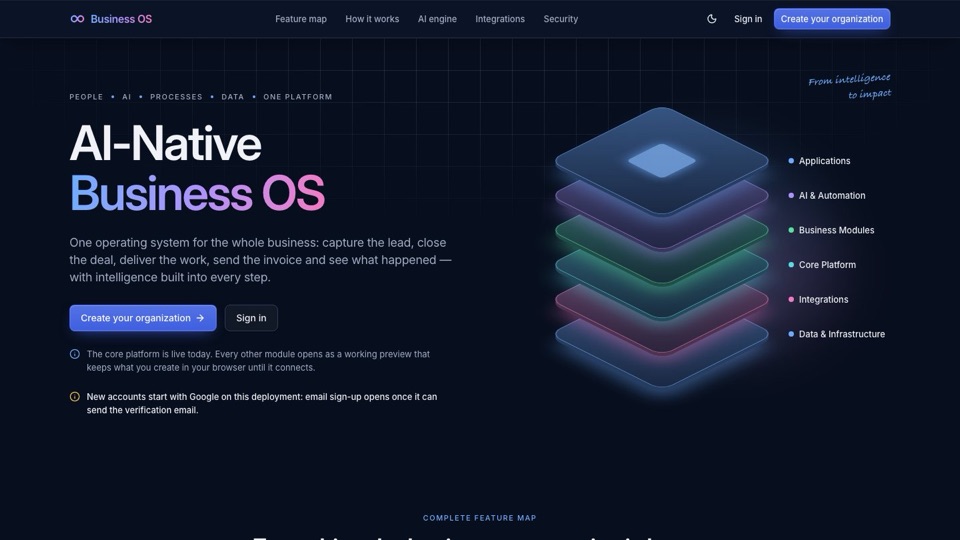
An AI operating system is a foundational software layer that provides unified identity, permissions, and data for an entire business. Unlike standard apps that add AI as a side feature, an AI OS treats AI agents as first-class users with their own identities and audit logs.
What is an AI Operating System?
To understand an AI operating system, you have to look past the "chatbox in the corner." Most modern software tools simply bolt an AI window onto an old interface, creating a disconnected experience where the AI can only see what is currently on your screen.
A true AI operating system changes this dynamic. It provides a unified foundation for your business, ensuring that every piece of data, every user role, and every permission is managed in one central place. This allows for integrated agentic workflows rather than isolated chat sessions.
In this architecture, AI agents are not just tools you talk to; they are treated like digital employees. They have their own identities, they must follow the same permission rules as your human staff, and every action they take is recorded in a permanent audit log. This is the core of what makes a system ai-native.
Traditional Software vs. AI-Native OS
For many small business owners, digital work is a mess of "seams." You might run your leads in a spreadsheet, manage customers on WhatsApp, handle HR in a separate app, and keep invoices in an email folder. Because these tools don't talk to each other, data is constantly duplicated or lost.
When you add AI to this fragmented setup, the AI suffers. It lacks context because it only sees one small piece of your business at a time. It can help you write an email, but it doesn't know if that customer has an overdue invoice in your other app.
| Feature | Traditional Software (Bolted-on AI) | AI-Native Operating System |
|---|---|---|
| Data Structure | Siloed data in separate apps | Single source of truth |
| AI Context | Limited to the current screen or chat | Full context across all modules |
| AI Identity | A tool used by a human | A first-class user with its own identity |
| Workflow | Manual data entry between apps | Automated agentic workflows |
An AI-native approach, such as the one being developed for BusinessOS, ensures that the AI understands the full picture of your operations, from sales to payroll.
Key Components of an AI OS Architecture
Building an operating system requires more than just a clever language model. It requires a robust architectural foundation that can support both humans and autonomous agents. The following components are essential:
Unified Identity & Permissions
Instead of having different logins for every tool, an AI OS uses one engine for roles and access control. This ensures that an AI agent can only access the specific files or customer data it is authorized to see, preventing security leaks.
Centralized Data Foundation
The system relies on a single database that acts as the ultimate source of truth. This prevents the "duplicate data" problem where a customer's address is updated in one place but remains old in another.
Event Bus & Audit Logs
Every action—whether performed by a person or an AI agent—is recorded in an append-only log. This creates a searchable, exportable history of "who did what and when," which is critical for accountability in automated workflows.
Shared Services
Rather than every module building its own tools, they all use shared services. This includes one centralized search engine, one file store, and one notification system that works across the entire business.
Real-World Agentic Examples
What does this actually look like in a daily business setting? Here are a few ways an AI OS moves beyond simple chat and into real work:
- Automated Follow-ups: An agent can monitor your sales module, identify overdue invoices, and automatically trigger a polite reminder to the customer via WhatsApp or email.
- Lead Qualification: Instead of just storing a name, an AI agent can look at inbound leads in your CRM, compare them against your ideal customer profile, and flag the best ones for your sales team.
- Document Processing: An agent can read a messy spreadsheet of price updates and automatically generate formatted, professional price lists or invoices for your clients.
- Cross-Module Workflows: An agent can detect a "won" deal in your sales module and automatically trigger a task in the operations module to start fulfillment, moving information seamlessly across the company.
Security and Data Isolation in AI OS
When you allow AI agents to act on your behalf, security becomes the top priority. You cannot have an agent accidentally sharing sensitive HR data with a sales representative.
A professional AI OS uses a multi-tenant architecture. This means data is isolated at the database level using Row-Level Security (RLS). This ensures that even if a system error occurs, one organization's data remains strictly separated from another's.
Security is maintained through signed tenant contexts and automated tests that constantly check for isolation. Crucially, permissions govern AI agents exactly like human employees. If a human staff member doesn't have permission to see payroll, the AI agent assigned to assist them won't have that permission either.
The Technology Behind the OS
To achieve the speed and reliability required for business operations, a modern AI OS utilizes a specific type of technology stack:
- TypeScript Monorepos & APIs: Using tools like Next.js and NestJS allows for high-speed development and a typed, reliable connection between the user interface and the backend.
- Vector Databases: Technologies like
pgvectorenable advanced AI search and retrieval, allowing the AI to "find" relevant information within your company's documents instantly. - Asynchronous Event Processing: By using an "outbox" pattern for events, the system ensures that no task is lost. If a change in a document is supposed to trigger an AI job, the system guarantees that the job will eventually run.
This combination of technologies allows for a system that is not just "smart," but also reliable enough to run the core operations of a growing company.
Frequently Asked Questions
- How is an AI operating system different from a standard AI CRM?
- A CRM is a single module focused on sales. An AI operating system provides the foundational layer—identity, permissions, and data—that allows many different modules, like CRM, HR, and Operations, to work together seamlessly with AI agents.
- Can AI agents work in a traditional business software?
- In traditional software, AI is often just a chat box that provides answers. In an AI-native OS, agents are "first-class users" with their own identities and permissions, allowing them to perform actual tasks like an employee would.
- What is the benefit of an 'AI-native' approach for small businesses?
- It eliminates the need to jump between spreadsheets, WhatsApp, and email. It provides a single source of truth so the AI can understand the full context of your business operations, helping you get from "answer" to "done" faster.
- How do AI agents handle security in an operating system?
- AI agents are governed by the same permission engine and audit logs as humans. Every action they take is recorded, ensuring that they cannot access unauthorized data or perform actions they aren't permitted to do.
- What does 'agentic architecture' mean for business automation?
- It means AI can plan a multi-step task, use a tool to execute it, check the result to ensure it worked, and remember the outcome. This allows it to complete complex tasks, such as drafting and sending a GST-compliant invoice, rather than just telling you how to do it.
Questions people ask
How is an AI operating system different from a standard AI CRM?
A CRM is a single module, whereas an AI operating system provides the foundational layer—identity, permissions, and data—that allows many modules like CRM, HR, and Operations to work together with AI agents.
Can AI agents work in a traditional business software?
In traditional software, AI is often just a chat box. In an AI-native OS, agents are 'first-class users' with their own identities and permissions, allowing them to perform tasks like an employee.
What is the benefit of an 'AI-native' approach for small businesses?
It eliminates the need to jump between spreadsheets, WhatsApp, and email. It provides a single source of truth so AI can understand the full context of your business operations.
How do AI agents handle security in an operating system?
AI agents are governed by the same permission engine and audit logs as humans, ensuring every action they take is recorded and authorized.
What does 'agentic architecture' mean for business automation?
It means AI can plan, act with a tool, check the result, and remember the outcome, allowing it to complete multi-step tasks like drafting and sending an invoice.